
This article will provide solution details, codes and samples about using Redis as a session store with specific explanations and tips.
Why?
One of my clients noticed an issue about user session management when the IIS process crashed on Windows Server. IIS processes were correctly restarted, but user sessions were lost as they are by default stored in IIS processes.
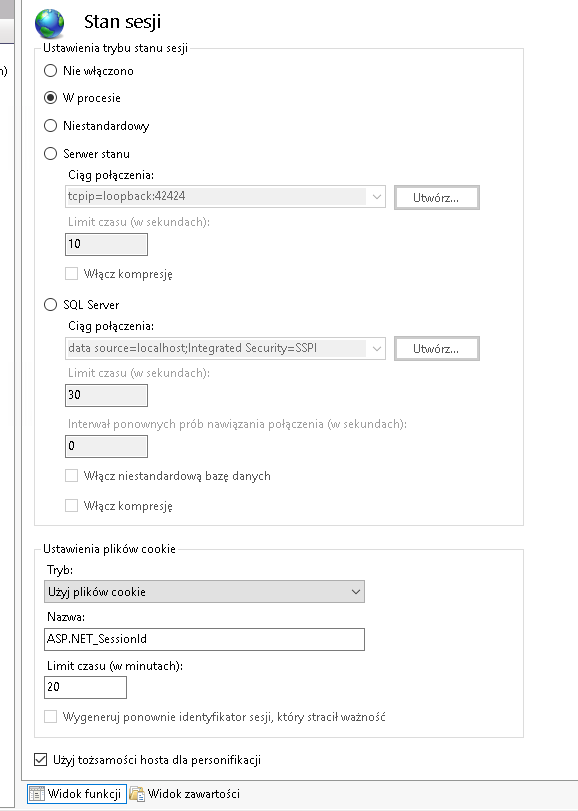 You can choose multiple solutions for storing sessions (SQL, State Server), but Redis is probably the best solution for lightweight ease of use and performance.
How?
Firstly, check what version of .NET Framework you are using, because it will determine the version of the package (RedisSessionStateProvider) you would use. https://www.nuget.org/packages/Microsoft.Web.RedisSessionStateProvider/5.0.4
For example, the newest version, 5.0.4, is compatible with these .NET Framework versions:
 If you are using an older version of .NET Framework, you need to choose an older version of RedisSessionStateProvider for example, 2.2.6 or 3.0.2.
Please bear in mind that these older versions are using StackExchange.Redis.StrongName, which is deprecated, legacy, and no longer maintained.
If you are using an older version of .NET Framework, you need to choose an older version of RedisSessionStateProvider for example, 2.2.6 or 3.0.2.
Please bear in mind that these older versions are using StackExchange.Redis.StrongName, which is deprecated, legacy, and no longer maintained.
After you add a package to your .NET solution and you can locate it on the server, you can proceed to the configuration of Web.config.
<system.webServer>
  <modules>
    <remove name="Session" />
    <add name="Session" type="Microsoft.AspNet.SessionState.SessionStateModuleAsync" preCondition="integratedMode" />
  </modules>
</system.webServer>
 (/images/iis_redis/web_config_1.png)
We don’t use the old synchronous session module. Instead, we use the async-friendly session state module when running in Integrated Pipeline mode in IIS.
In the next step, we need to configure the Redis connection details.
<sessionState mode="Custom" customProvider="MySessionStateStore">
  <providers>
    <add name="MySessionStateStore" type="Microsoft.Web.Redis.RedisSessionStateProvider" host="hidden.cloud.ovh.net" port="20185" accessKey="hidden" ssl="True" />
  </providers>
</sessionState>
 (/images/iis_redis/web_config_2.png)
In this example I did use the OVH Redis solution, but you can use any Redis server (I did test the Azure one, and it worked properly).
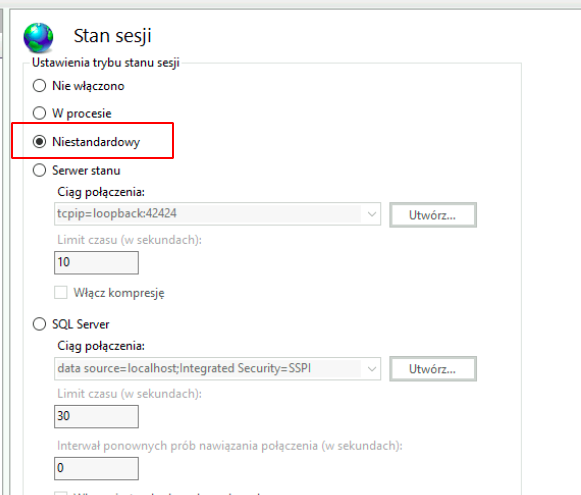
When we save the file and reload our IIS website, we should correctly see that the IIS sessions are stored in a non-standard solution:
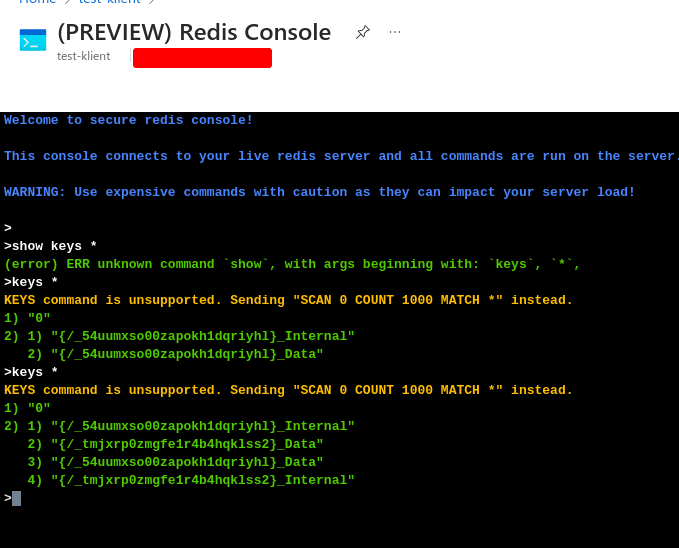
You can visit the website, generate some session data, and verify inside Redis if the keys are properly added.
Tips
- You cannot use a username in the connection string; only the access key is valid.
- Use Redis with TLS 1.2 support.
- If possible use Redis with HA solution.
- If you are using the Redis OVH solution, use the default user, as it will be used when you try to connect without a specific one.
- Avoid storing large objects in session.
- Place Redis behind a private network or VNet.